Growing up, I played a LOT of CS:GO with my friends, and they gave me endless grief for changing my crosshair every week. Smaller, bigger gap, green, cyan, dot, no dot. Funnily enough, they always seemed to spot the new crosshair after they died and I was still alive and fighting for that round.

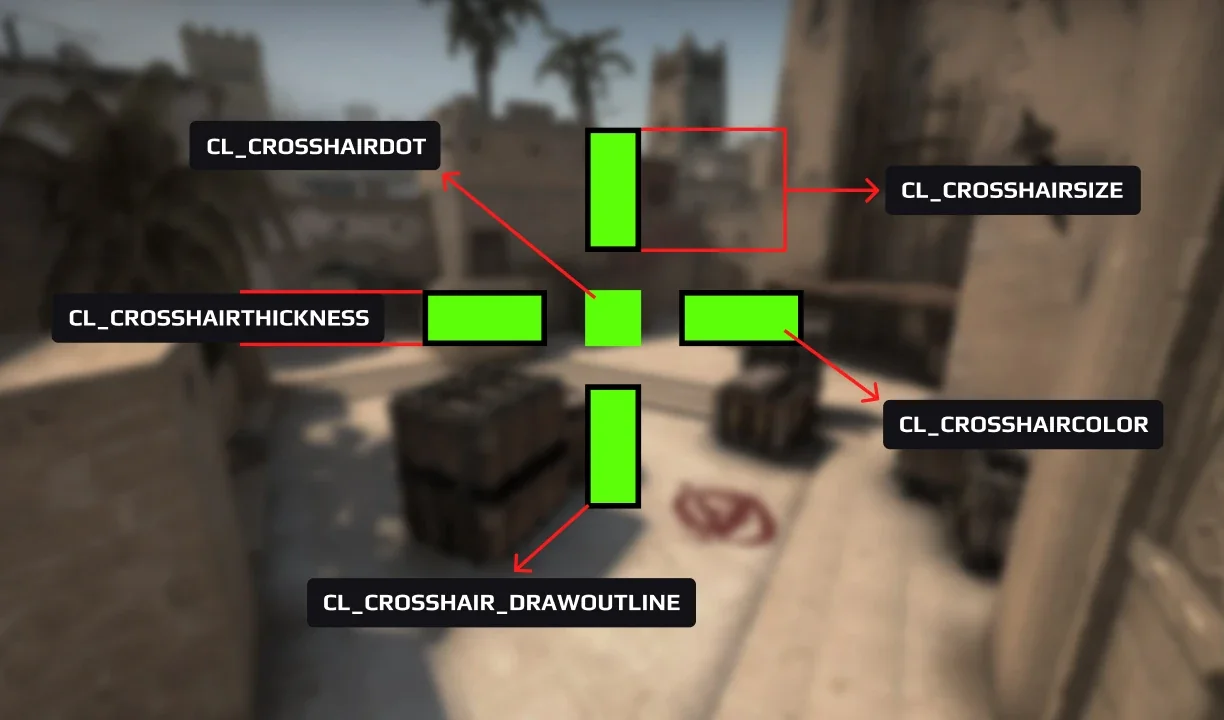
I couldn’t help it. If something felt even a little off, I wanted to fix it. I never fully settled on a crosshair, and I never will.
That habit turned out to be pretty useful in web development.
The process is the crosshair
When I got into web development, I found a whole new crosshair to fiddle with: the way I actually build websites.
Every editor, tool, and build step in a workflow is a setting you can tune. And just like in Counter-Strike, I’ve never been able to leave mine alone for long. Every few years, something feels a little off, and I start adjusting.
Static sites with CodeKit and Brackets
My first setup was CodeKit and Brackets. CodeKit compiled my Sass styling, Pug templates, and imperative JS files, and reloaded the browser without me ever opening a terminal. Brackets had live preview built in. For a beginner, it felt like magic.
Build pipelines with Atom and Gulp
Eventually the magic felt like a black box, and I wanted more control. I moved to Atom, which I could customize with packages, and Gulp, where my build process lived in code instead of an app. That’s where I got comfortable in the terminal, and where I realized I could build my own workflow.
Single page apps with Vue, React, and webpack
Then single page apps took over, and I dipped my toes in with Vue. Single file components kept markup, styles, and logic together, and it still felt like writing HTML and CSS.
<template>
  <button @click="size++">Crosshair size: {{ size }}</button>
</template>

<script>
export default {
  data() {
    return { size: 2 }
  }
}
</script>

<style scoped>
button { color: cyan; }
</style>
The industry eventually picked React, so I moved over, with a webpack config holding it all together. Component-based thinking has stuck with me ever since, but for the marketing sites I was building, I was shipping way more JavaScript and config than they needed. Something felt off again.
A faster editor with VS Code
Somewhere in the React era, I swapped Atom for VS Code. It was faster, its extensions covered every language I touched, and the built-in terminal meant I rarely had to leave it. It’s still my editor today.
Utility-first CSS with Tailwind
My styling changed just as often: Sass partials, PostCSS plugins, styled-components in React. Every project wrote CSS a little differently.
Then I found Tailwind. I could style right in the markup with utilities that worked the same in JSX, Vue templates, or plain HTML, so it came with me no matter what else I changed.
<button class="px-4 py-2 rounded-lg bg-orange-500 text-white">
  Change crosshair
</button>
It’s still in my setup today, and it’s the closest I’ve come to settling on a crosshair.
Lightweight interactivity with Alpine.js
Once Tailwind clicked, I wanted the same approach for JavaScript. Most of my sites needed a dropdown or a modal, not a framework, and pulling in React for that felt like bringing an AWP to the pistol round.
Alpine.js fit perfectly. Like Tailwind, it lives in the markup: add a few attributes and an element is interactive.
<div x-data="{ open: false }">
  <button @click="open = !open">Crosshair settings</button>
  <div x-show="open" x-transition>...</div>
</div>
It’s still in my toolkit today.
Fast builds with Vite
After years of webpack configs, Vite was a relief, and I barely had to adopt it. The tools I already used started supporting it out of the box, and my custom build scripts and long config files shrank to a few lines. Every codebase got smaller and easier to maintain. It’s still what I reach for when a project needs a build step.
Content-managed sites with Craft CMS
At this point in my career, I moved from frontend to fullstack development, and I was now working with clients who needed edit access to certain areas of their sites. Tailwind, Alpine, and Vite covered how I styled, scripted, and built those sites, but now I needed a CMS too.
Craft CMS was my answer. It was the simplest configurable CMS I could find for non-technical people. I could build custom fields for each site and write templates in Twig, so I kept full control over the markup.
Flat-file content with Statamic
Eventually, even my CMS crosshair needed a tweak.
Craft served me well for years, but it started to stagnate. Somewhere between Craft 4 and 5, their crosshair stopped matching mine, so I moved to Statamic. It’s built on Laravel, stores content as flat files in Git, and its templates stay close to plain HTML. It’s the closest you can get to a static site generator while still giving clients a world-class CMS.
Static site generation with Astro
Astro let me write components like I did in React while shipping plain HTML, and since it’s built on Vite, it’s fast. It’s what this site runs on, and every post here is just a Markdown file in the repo. It’s the same idea that drew me to Statamic’s flat files, minus the control panel.
---
title: About Us
blocks:
  - type: hero
    heading: Care that feels close to home
    image: https://cdn.example.com/hero.webp
  - type: cta
    heading: Ready to visit?
    button:
      label: Book now
      href: /contact
---
Where I think the CMS landscape is headed
I think my approach above with Astro is where client work is heading. In the industries I work in (healthcare, non-profits, and small-to-medium businesses), clients don’t want to author content in a CMS anymore. Even with a friendly control panel, they’d rather send a quick email and “prompt” somebody else than log in and hunt for the right spot in the CMS to update certain things.
I get emails like this daily:
- “Can you add our new team member?”
- “Can you update our holiday hours?”
- “Can you swap out the homepage photo?”
- “Can you post this upcoming event?”
With this new approach, A developer can prompt an LLM to edit the Markdown, drop new images into an S3 bucket, and commit the changes to trigger an automated CI/CD pipeline to deploy the changes. Every change has a commit behind it, and there’s no database to back up or patch. If you’ve read my post on simplicity in agency development, you know why that appeals to me.
The traditional CMS isn’t going away tomorrow, but it’s starting to feel like a crosshair that needs some tweaks.
Prompt-driven development with Claude and VS Code
Whether I’m building a static site or a CMS-driven one, the applications I build them with have changed again too. My current crosshair is VS Code and Claude. More of my work now is describing what I want, reviewing what comes back, and steering until it’s right.
I haven’t handed over the wheel, though. I still think AI is the worst mentor and the best mentee. Every setup on this list taught me something, and that’s what lets me tell Claude what “right” looks like.
My crosshair… for now
My friends wanted me to pick a crosshair and stick with it. In web development, the setup that felt perfect three years ago probably feels off today. Here’s mine right now:
- Astro for static sites, including this one
- Statamic for CMS builds
- Vite for builds
- Tailwind CSS for styling
- Alpine.js for interactivity
- GoatCounter for analytics on this site
- VS Code and Claude to build all of it
Ask me again in a year, and at least one of these will have changed.
So to my old CS:GO buddies: I’m still changing my crosshair, and I’m still not sorry.