My Life Systems
A detailed breakdown of the five tools I use to manage tasks, chores, plans, and ideas. Each one has exactly one job, and that's what keeps me sane.
I used to think that staying organized meant finding one perfect app that could hold my entire life. Tasks, groceries, recipes, chores, plans, ideas, etc.
That app doesn’t exist. Trust me, I looked.
What worked for me was the polar opposite approach. Instead of one tool that does everything, I use a handful of boring tools that each do one thing. If you read my post on why dumb doesn’t break, I touched on a few of these, but I figured a whole blog post was warranted to explain it fully.
The golden rule: everything has a dedicated home
The whole system comes down to a single question. When something pops into my head, where does it go?
If I have to think about the answer for more than a second, the system probably is not going to work for me, because I already forgot the thing I wanted to log while I thought about where it should go!
Apple Reminders for things that happen once
Reminders is my place for anything that gets done once. Things like Amazon returns, picking up sticks in the backyard, and future blog posts I want to write.
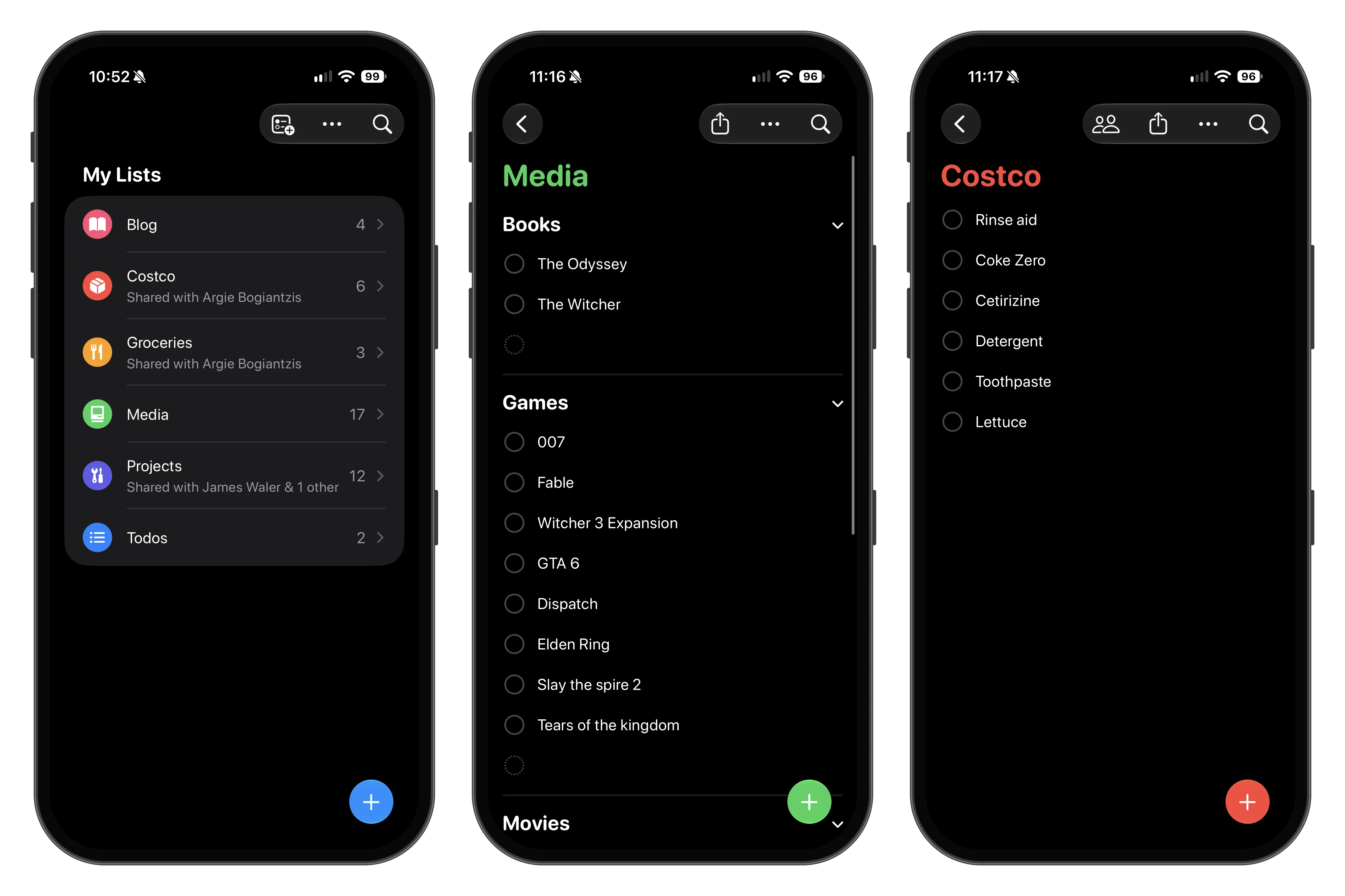
As you can see, it’s also where my media backlog lives. I keep separate lists for movies to watch, games to play, and books I want to load into my Ebook.
Apple Reminders is also great for creating a zero-cost shared “Groceries” (or more specifically, a “Costco”) list that my wife and I both add to easily. Whoever happens to be at the store can just pull it up and snag what we need.
Apple Notes for things I need to keep or reference
If Reminders is for things that end, Notes is for things that stick around.
Recipes live here. So do checklists I reuse, like what to pack for a trip or what to do before we leave the house for a week. Those checklists aren’t tasks, they’re references. I don’t want them disappearing when I check them off.
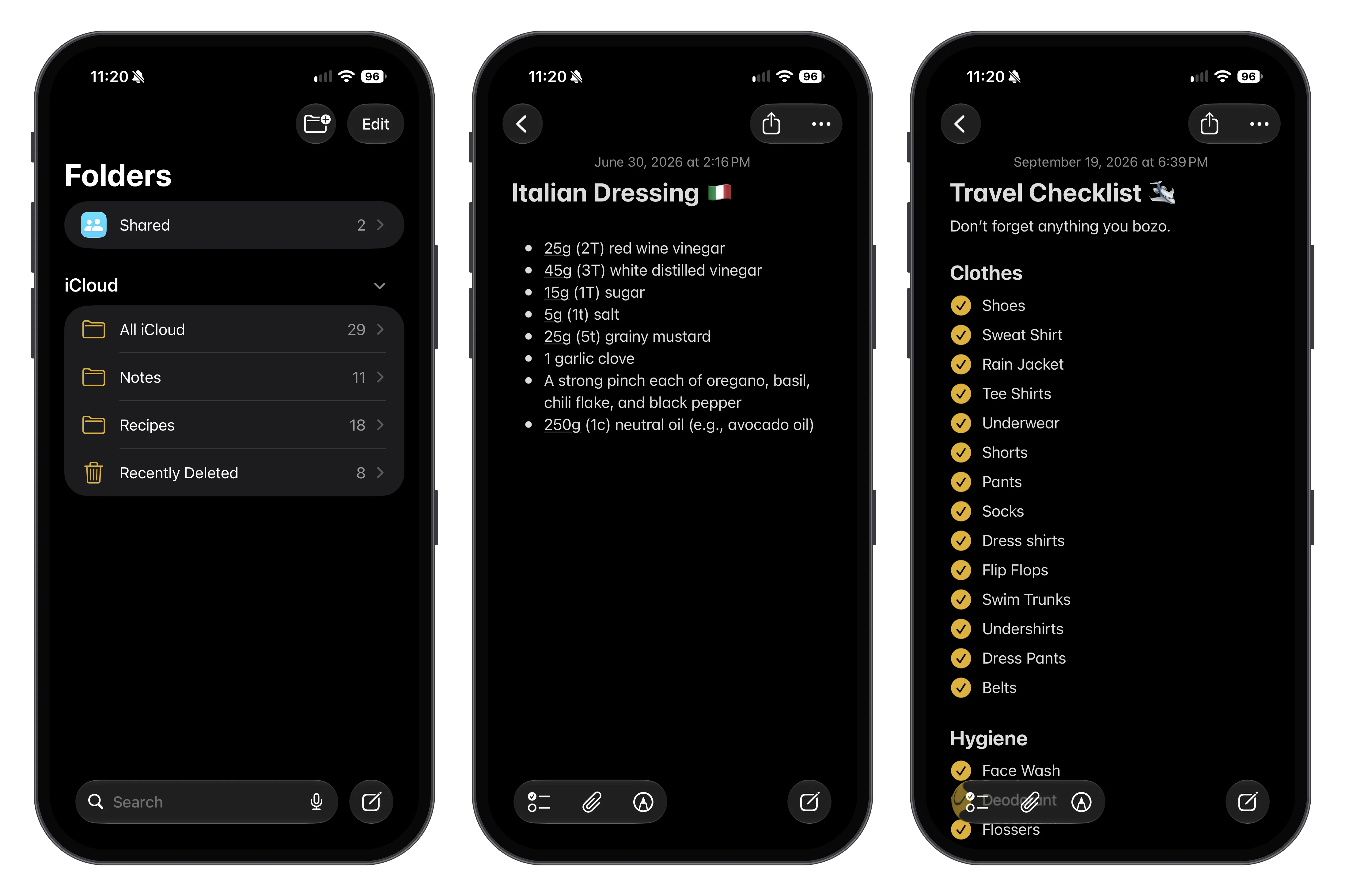
Notes is also my brain dump. Any half-baked idea, gift idea for my wife, or random thought I’ll forget in ten minutes gets thrown into a note. It doesn’t need to be organized any more than a few different folders within the app. It just needs to exist somewhere other than my head.
Apple Calendar for anything time-sensitive
Anything with a specific date and time goes on the calendar.
We run three calendars in my house: one for me, one for my wife, and one shared calendar for things we’re both going to. Dinner with friends, a wedding, a vet appointment. If both of us need to be there, it goes on the shared one.
You know what a calendar looks like, I’m not showing you mine.
This sounds like a small thing, but it has killed off an entire category of “wait, that’s TONIGHT?” conversations in our house. When one of our friends texts only one of us, I can glance at her calendar to see if she’s free, check mine to see if I’m free, and then plop it onto the shared one to avoid a miscommunication.
Repeaters for things that never end
This is the category most apps get wrong. Taking out the trash, giving my dog his meds, replacing the furnace filter. These aren’t tasks you complete. They’re Sisyphean tasks you complete over and over again.
Every todo app I tried treated these the same as one-off tasks that just so happen to repeat. On the day you check it off, it just creates a new todo in the same spot with a different due date.
That sorta works okay, until you miss one. Then, the whole schedule gets misaligned, overdue badges start to pile up, and you feeling overwhelmend by the entire app and the system breaks down completely.
I built Repeaters to handle this exact problem. It seperates out these endless tasks into their own app so that your true checklists can actually be completed instead of being endlessly refreshed. All this app does is track how long it’s been since I last did something, sends a push notification after a set interval when it is time to complete it again.
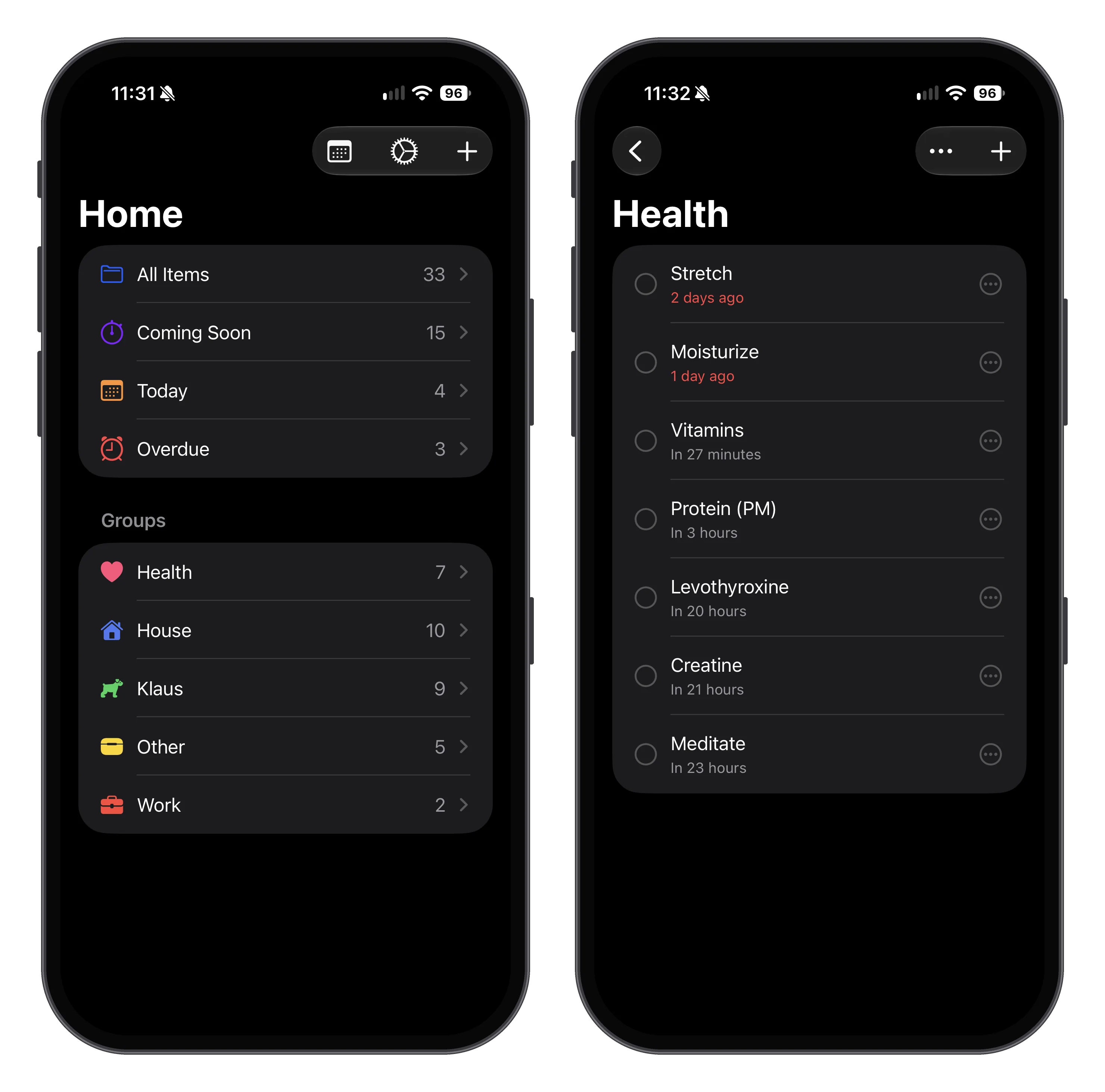
As you can see, I’m a bit behind on moisturizing and stretching, but I don’t fret over it, I will get back to them when I can and they are not clogging up my other todo list.
Is it insane to build an app simply to categorize todos into two different buckets? Maybe. But nothing else worked for me, and now it’s something I use every single day.
The fridge board: things we do together
Last but not least, the $5 dry erase board on the kitchen fridge.
This one is for current-week tasks that require two sets of hands to complete. The best example is cutting my dog’s nails, which is absolutely a two-person job (one to feed him peanut butter, and the other to use the clippers while he’s distracted).
Putting these on a phone app never worked. One of us would add it, the other would never see it, and they would sit there incomplete. The fridge, on the other hand, gets passed by a least a dozen times a day. It’s impossible to ignore, and there’s something oddly satisfying about physically wiping something off the board when it’s done.
Why this works
None of these tools are fancy. Three of them came free with my phone, one I built myself, and the last one is a whiteboard. But each one has a clear job, and none of them overlap:
- Reminders for my personal todo lists
- Notes for things to keep like recipes, checklists, and thoughts
- Calendar for things like date night
- Repeaters for pushing those boulders up the hill when I have time
- The fridge board for when we need backup to get ’er done
When everything has a home, I spend way less time organizing my life and way more time actually doing it. Also, if and when one of these tools inevitably changes or discontinues, I only have to replace one piece of the puzzle instead of rebuilding my entire life from scratch.
If you made it this far, thanks. But that reminds me, don’t you have something you should be getting done?
Did you enjoy this post? Consider subscribing to the RSS feed!